Bootracer Product Information

Product Features
  • Easy to install and operate
  • Automatically check boot speed at every startup
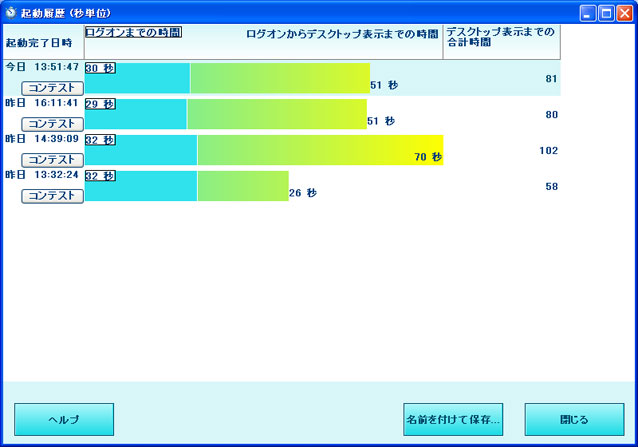
  • You can check the time it takes to log on and the time it takes for the entire startup ( No other software can measure both of these parameters! )
    Time until logon: Time until the user can operate the computer (At this point, the startup process is still running in the background.)
    Overall startup time: Time until background processing is completed and the CPU is completely released
  • Operates with minimal resources
  • All results are logged to the event log, which can be viewed using the Windows Event Viewer.
  • Automatically calculates the best startup time
  • You can check the latest boot speed at any time.
  • Free for non-commercial use
New Features
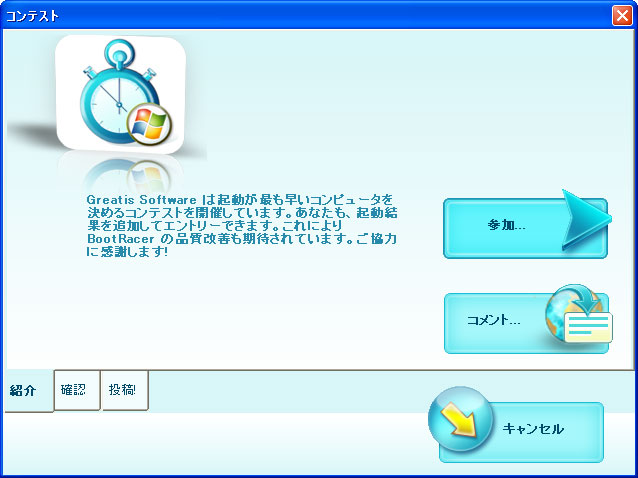
  • Competition to decide fastest booting computer
    Anyone who is a BootRacer user can participate.
    The contest is open for each version of Windows, and the top 10 results will be displayed regardless of version.
  • Added the ability to automatically collect computer data
  • The Business and Enterprise editions now include the ability to collect information on users' computers and IP addresses into a single database.
  • The technology that determines how long it takes to log on at the end of a password has been improved
  • All issues found have been resolved
How to use the main features
  1. Install BootRacer on your computer
  2. When the main window appears, click Start
  3. Restart your computer
  4. After logging in, the BootRacer time counting window will appear.
    Note:
    Also be aware of the automatic opening and closing of the Windows Start menu and any changes in cursor position - these are normal and necessary components of desktop response time - they usually only happen once.
    You can start working before the Windows boot time ends. BootRacer can continue to run even if other tasks are started. Or you can end the program by clicking the [Exit] button.
Screenshots

Product Information Product Information
function Business Enterprise
Detect boot time and time to login screen
User Password Timeout Exclusion
history
Unique Events
Runs invisible in the background
Distribution from Microsoft SMS Server
More Windows Mobility Event Detection <br data-mce-fragment="1">Desktop creation, start menu, etc.
Automatic export of CSV files to a folder or network share
Collect results in a database (Microsoft SQL, MySQL, Oracle)
Asset Management System Information <br data-mce-fragment="1">System overview, installed software, network information, etc.
Software Analysis and Reporting
Customization