USB Network Gate for Mac Product Information
USB over Ethernet
USB Network Gate allows you to connect to USB devices from your Windows, Mac or Linux PC (and vice versa)!
 |
Share USB port over LAN/WAN/VLAN/VPN/Internet | |
Connecting to a USB device over RDP (Remote Desktop Protocol) | |
| Do you need to share a USB device among multiple PCs? USB Network Gate makes it possible! Print, scan, fax, and more from any PC in the office. Passwords let you control who has remote access. |
When using a remote desktop connection, you may find it inconvenient to be unable to access local USB devices. USB Network Gate allows you to work with any local USB device through a remote session. You can also configure remote machines to automatically detect and instantly connect to shared USB devices, just as if they were physically plugged into your PC. |
|||
 |
Connect to USB devices on virtual machines and blade servers |  |
Connect to USB devices over Wi-Fi | |
| Are you looking for a way to connect to USB devices on your virtual machines or blade servers? Simply install USB Network Gate in your guest operating system (virtual machine, blade server) and instantly access your USB peripherals from your remote virtual desktop. Compatible with VMware, VMware ESX, Citrix XenDesktop, and Microsoft Hyper-V. |
No configuration changes are required to your existing network to allow employees to share their new USB devices, which can then be accessed wirelessly from any desktop or laptop in the office. Share a USB-connected printer, scanner or other device on one PC and let everyone work on it as if it were connected to their own PC. |
|||
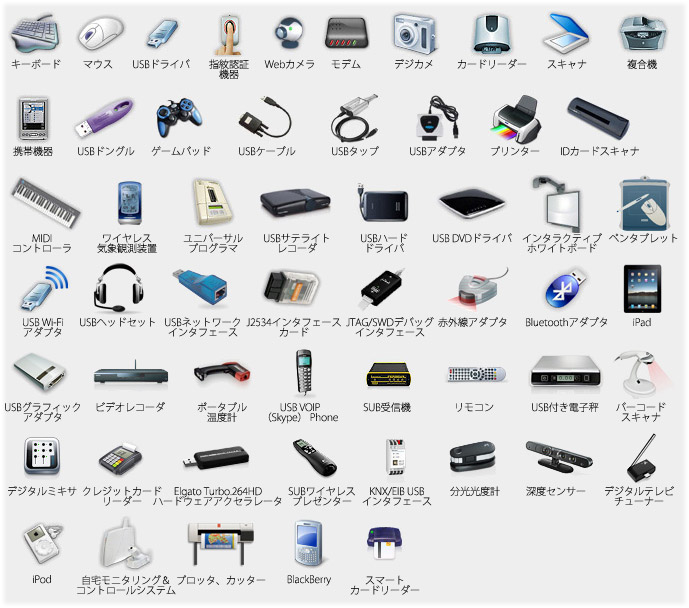
List of supported devices
USB Network Gate allows you to easily connect one or multiple USB devices to your PC remotely over Ethernet.