


Skip to product information
1 of 6

製品番号 20081120-002

AKVIS ArtWork for Mac

AKVIS ArtWork for Mac

バージョン 14.5

更新日付 2024/06/05 09:54:52 (Wed)

開発元 AKVIS

Convert your image photos into realistic oil paintings, watercolors, and more!
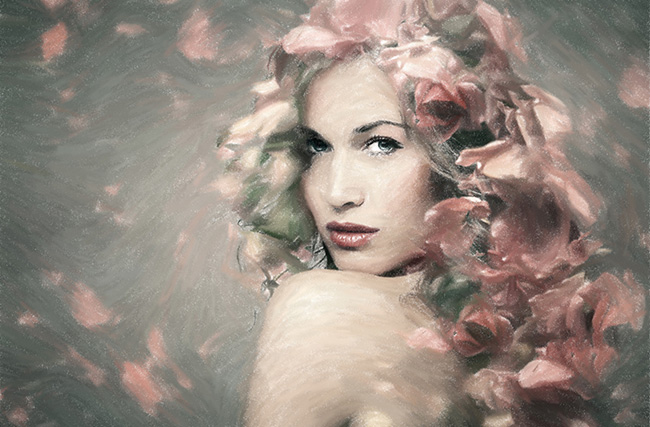
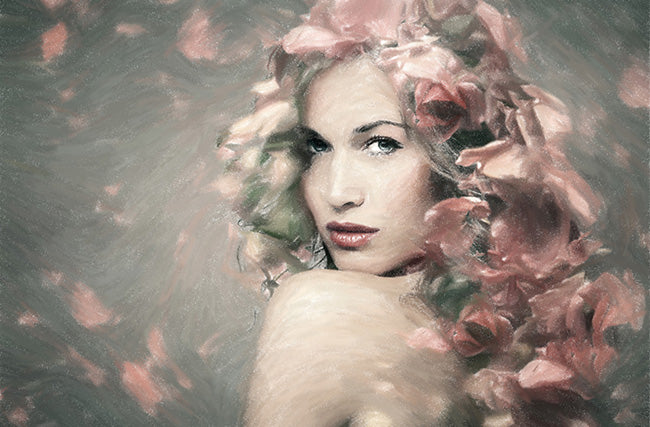
With AKVIS ArtWork, you can turn your images into artwork that looks like it was hand-drawn.
It can be converted into a realistic oil painting.
Easily create masterpieces from your digital photos.

AKVIS ArtWork is designed to imitate a variety of painting techniques.
The first version offers oil painting, in the next version there will be more painting techniques to choose from.

Standalone version: akvis-artwork-app.dmg
Plugin version: akvis-artwork-plugin.dmg

Regular price ¥7,200
Regular price Sale price ¥7,200
Sale Sold out

License Types

ライセンスに関して Home License is for personal use. It can only be used for non-commercial purposes. Choose between the plug-in or the standalone version. Home Deluxe is the plug-in + standalone version. Business License is for commercial organizations who use the software commercially. With the purchase of AKVIS products you get a lifetime license and one year of free updates. One license can be used on two computers.

互換OS macOS 10.15.x, macOS 11.x, macOS 12.x, macOS 13.x, macOS 14.x, and macOS 15.x

View full details

購入時の注意
You can upgrade to new versions of the product free of charge for one year.
If you wish to update after the one-year free update period has expired, you will need to purchase the update.
Please contact us regarding updates.

製品情報

What is AKVIS ArtWork?

Unlike other programs and Photoshop plugins that claim to be digital artists, AKVIS ArtWork does not just add twisted geometric lines, but also creates highly realistic paintings from photos. Even with the default settings, you can get a realistic effect result that is indistinguishable from a hand-drawn work. You can also adjust the options and explore different oil painting styles. For more flexibility and to get an idea of ​​how the final painting should look, we have included a tool called Stroke Direction. This semi-automatic and powerful tool gives you control over the brush stroke. Using special brushes, you create guidelines, and AKVIS ArtWork determines the direction of the brush along those guidelines, converting the image into a painting. This technology allows human hair, patterns and textures to be oriented correctly, resulting in a very realistic painting after the effect. The first release converts photos into oil paintings. In the future, ArtWork will include various painting techniques. In addition to oil painting, it also includes canvas processing and artist signature functions. You can change the texture of the painting surface to represent different materials such as canvas and paper, making the painting even more realistic. You can also sign or inscribe the painting with your own font and color.

製品詳細情報

製品情報の詳細1を見る

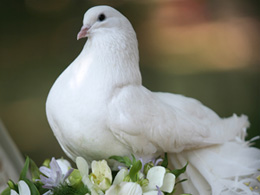
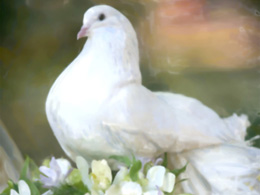
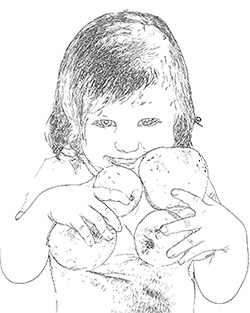
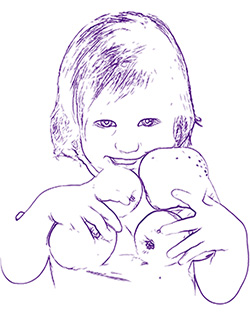
[Effect Examples] You can apply various painting techniques.
AKVIS ArtWork is designed to imitate a variety of painting techniques.
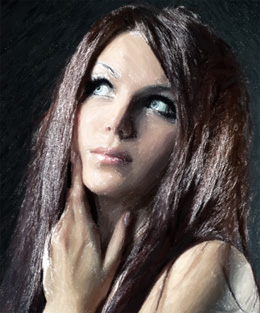
[Pattern 1] Oil painting
Before Effects
After Effects
[Pattern 2] Watercolor
Before Effects
After Effects
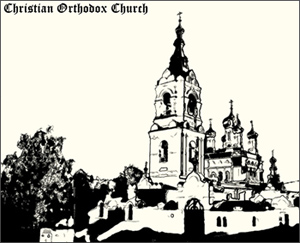
[Pattern 3] Comics
Before Effects
After Effects
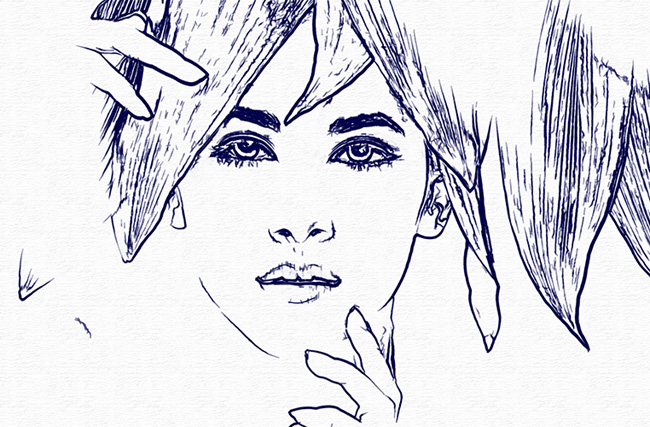
[Pattern 4] Pen and ink
Before Effects
After Effects
 
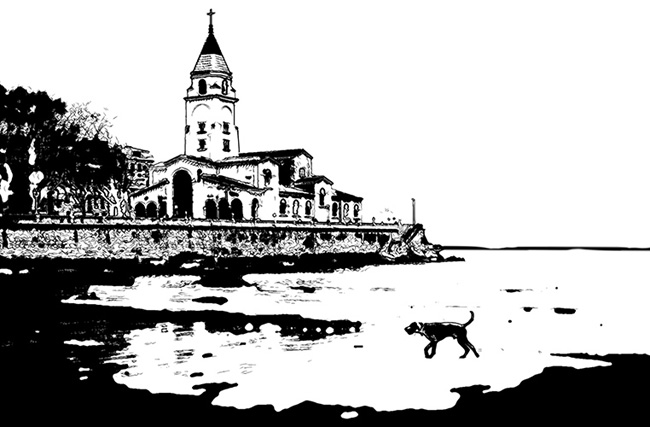
[Pattern 5] Linocut (linoleum print)
Before Effects
After Effects
[Pattern 6] Pastel *Home Deluxe and Business only
Before Effects
After Effects

製品情報の詳細2を見る

What is AKVIS ArtWork?
Unlike other programs and Photoshop plugins that claim to be digital artists, AKVIS ArtWork doesn't just add twisted geometric lines, it creates highly realistic paintings from your photographs.
Even with the default settings, you can achieve effects that are so realistic they could be mistaken for hand-drawn artwork.
Furthermore, you can adjust the options and explore different oil painting styles.

For more flexibility and for thinking about how the final drawing should look, we have a tool called Stroke Direction, a semi-automatic and powerful tool that allows you to control the feel of the brush.
Use special brushes to create guidelines, and AKVIS ArtWork will guide the brush strokes along those guidelines to turn your photo into a painting.
This technique allows human hair, patterns and textures to be oriented correctly, resulting in a very realistic image after the effect.
The first release will convert your photos into oil paintings, in future ArtWork will include different painting techniques.

Besides oil painting conversion, it also includes canvas treatment and artist signature features.
You can change the texture of the painting surface to represent different materials such as canvas or paper, making your paintings even more realistic. You can also sign or inscribe your paintings with your own fonts and colors.
What can it be used for?
You can create an oil painting of your friend's portrait, landscape, still life, etc.
You can print the picture you created on a color printer, frame it, put it in a ready-made photo frame, or even add some real oil brushstrokes to turn it into a real painting.
Create greeting cards and posters and surprise your friends and family with them.
Please try it out for a variety of purposes.


Product InformationProduct Information

AKVIS ArtWork

AKVIS ArtWork

AKVIS ArtWork

AKVIS ArtWork

AKVIS ArtWork

AKVIS ArtWork

AKVIS ArtWork v12.5 User Guide (HTML)2021/04/14 09:32:01 (Wed)

Collapsible content

よくある質問

I entered the serial number but an error occurred and I can't activate it.

The serial number (activation key) you enter into your AKVIS product will be a 12-digit number consisting of random alphanumeric characters.
If you purchased your product from SourceNext or another company, you may have been issued multiple serial numbers, but in many cases, you may have entered the wrong number, resulting in an error.
Please make sure to enter the license number issued for your AKVIS product.

It is also possible that you have mistakenly entered something that is easily confused, such as an O or a zero.
Whenever possible, we recommend using copy and paste instead of entering information manually.

If you enter your name in Japanese, the characters will be garbled, so please enter it in Roman letters.

Can I install it on multiple PCs?

All AKVIS products, except AliveColors, can be installed on up to two PCs by the same person.
It can be installed on two computers, meaning that activation with the same key can only be performed twice.

AliveColors, both the Home and Business versions, can only be installed on one PC.

Program upgrades can be performed by simply overwriting the latest version without activation.

If for any reason you need to reinstall and activate more than once, please contact us with your purchase information.

Plug-in not installing in Photoshop

The Japanese version of AKVIS cannot automatically detect the Photoshop Plug-ins folder during installation.
In a 32-bit environment it is located in [Program Files], in a 64-bit environment it is located in [program files (x86)] and under it there are folders for each product.
There is a .8bf file in that folder, so please copy it manually and place it in the Photoshop [Plug-ins] folder.

***.8bf is the 32-bit version and ***_64.8bf is the 64-bit version.
Plugins with different versions will not be displayed, so be sure to copy the one that matches your environment.

What are plugins?

A plug-in is a program that adds new features to existing software or enhances its functionality.

AKVIS has developed a variety of plugins compatible with popular image editing software such as Adobe Photoshop.

For example, if you use AKVIS products as plug-ins for Adobe Photoshop, you can edit images with AKVIS products by downloading them from Adobe Photoshop.

You can edit the image area back in AKVIS products.

AKVIS plugins are compatible with Adobe products as well as with most popular image editing software. Check compatibility with the trial version.

If you purchase the plug-in version, it cannot be used as a standalone application.

How to upgrade your AKVIS product
To upgrade your AKVIS product, please follow the steps below:
1. Install the latest version by overwriting the old version
2. Reactivate
How to activate video plug-ins in DaVinci Resolve
1. Select [Fusion] at the bottom
2. Select [Effect] at the top
3. Select [OpenFX] from [Effect] displayed on the left
4. Find AKVIS in the list and select the product.
5. Click [About AKVIS *** Video] on the right
6. The activation screen will appear.
How to install DaVinci Resolve
The OpenFX plugin for DaVinci Resolve and other video editors that support OFX will be installed automatically by selecting "OpenFX Plugin" during installation.

アクティベーション方法

How to activatePlease see here.

バージョン履歴

-------------------
Version 14.0(March 9, 2023)
-------------------

  • New Stencil Effects
  • Added real-time preview of presets
  • Increasing preview window size and processing size limit in preferences
  • Added color selection for the Color Brush tool in Pen & Ink, Linocut, and Stencil techniques
  • Removed the eraser tool for Pen & Ink, Linocut and Stencil techniques, and now use the color brush tool for background color
  • Bug fixes and stability improvements

-------------------
Version 13.0(January 23, 2022)
-------------------

  • User Interface (UI) Redesign
  • New Program Icon
  • Increasing preview window size and processing size limit in preferences
  • Updated list of supported RAW formats
  • Check compatibility with the latest image editors
  • Supports Apple M1 series processors
  • Mac OS X 10.10-10.11 is no longer supported.
  • Bug fixes and stability improvements

-------------------
Version 12.5(January 19, 2021)
-------------------

  • You can now use a mount and a classic frame at the same time (Decoration tab > Frame tab > Mount)
  • Added Color option to Vignette (Decoration tab > Frame tab > Vignette)
  • Now uses different paths for saving and loading images
  • Updated list of supported RAW formats
  • Supports macOS 11 Big Sur
  • Improved compatibility with Adobe Photoshop CC 2021
  • Update the Windows Installation Wizard
  • Bug fixes and stability improvements (including a bug in preset preview)

-------------------
Version 12.0(November 14, 2019)
-------------------

  • Improved speed for Oil Paint, Gouache, Comic, and Pastel effects
  • Pen & Ink effects now include color brush and eraser tools
  • Added file renaming to batch processing options
  • When adding text/watermark inside an image, you can now freely position it (Decorate > Text).
  • You can now access the eyedropper tool by clicking on the color palette.
  • Compatibility with Mac OS Catalina (10.15)
  • Improved plugin compatibility with the following image editors:
    Adobe Photoshop 2020, Photoshop Elements 2020,
    Corel PaintShop Pro 2020, Painter 2020, GIMP 2.10.14.
  • Added support for RAW files available in the standalone version
  • Update the Windows Installation Wizard
  • Bug fixes and stability improvements

-------------------
Version 11.2(March 28, 2019)
-------------------

  • On Windows, the Publish option is now a separate module.
  • Added support for RAW files available in the standalone version
  • The interface theme in Preferences is now displayed as a color palette.
  • Bug fixes and stability improvements
  • Fixed a bug that caused the program to crash when loading JPEG files.
  • Fixed an issue where images were not displayed correctly on 4K and 5K monitors.

-------------------
Version 11.1(November 27, 2018)
-------------------

  • Compatibility with Photoshop CC 2019 (version 20.0)
  • Compatibility with Mac OS 10.14 (Mojave)
  • Added support for RAW files available in the standalone version
  • Minor bug fixes

-------------------
Version 11.0(August 7, 2018)
-------------------

  • Added pointillism painting technique, which creates a painting using small dots of color (Deluxe/Business edition only)
  • Adding the Notifications panel
  • Added support for RAW files available in the standalone version
  • Bug Fixes

-------------------
Version 10.0(April 17, 2018)
-------------------

  • History brush added for all painting techniques
  • Added color brush and eraser tools to the Linocut technique
  • Standalone version now supports PSD files
  • Added the [Random Pattern] function to [Pattern Frame] in the [Decoration] tab.
  • Updated texture library with new pattern categories: Stars, Ornaments and Sketches.
  • Some checkboxes have been replaced with icons.
  • Enabled tools are now highlighted in color.
  • Added support for RAW files available in the standalone version
  • Improved algorithm for increasing brightness of patterns and textures
  • Added new grey interface theme (switchable in Preferences)
  • Compatibility with Photoshop CC 2018
  • The maximum interface size (magnification) depends on the screen resolution.
  • Unavailable tools are no longer displayed, rather than greyed out.
  • Bug Fixes

-------------------
Version 9.1(April 27, 2017)
-------------------

  • Improved compatibility of the plugin with image editors (Photoshop CC 2017).
  • Added new RAW file support for the standalone version
  • Bug Fixes

Version 9.0(June 8, 2016)

  • A new decoration tab has been added, including Effects, Canvas, Text, and Frame (new). The order of decoration effects depends on the position of the Canvas/Frame/Text tabs. The program now offers the following frames: Classic, Pattern, Stroke, Vintage, and Picture Frame.
  • Ultra HD 4K and 5K resolution displays are now supported. The interface has been redesigned to be more responsive to larger screen sizes. Text and new vector icons now scale correctly.
  • New printing options have been added: you can now print high resolution images on multiple pages.
  • You can now select the drive where the program will be installed (Windows version).
  • Plug-in functionality has been improved in image editing.
  • The standalone version also now supports RAW files.
  • Added native 64-bit support on Mac.
  • The program version information screen has been changed.
  • The activation screen has changed.
  • The quick view area is now larger.
  • Facebook and Tumblr are temporarily hidden from the list due to changes in the sites' policies.
  • Minor bug fixes

Version 8.1(May 27, 2014) (Free upgrade)

  • Support for additional RAW formats in the standalone version
  • Minor bug fixes

Version 8.0(September 26, 2013) (Free upgrade)

  • Sharing options have been added, allowing users to post images directly to social media sites (Facebook, Twitter, Flickr, Tumblr, Google+).
  • Added compatibility with Adobe Photoshop CC and Corel PaintShop Pro X6 plug-ins
  • Windows 64-bit support. Setup files are available for Windows 32-bit and 64-bit.
  • Added new tools (zoom, hand)
  • Minor bug fixes

Version 7.0(June 5, 2012) (Free upgrade)

  • Added a new drawing style - Gouache
  • Added preview images for AKVIS Presets
  • Minor bug fixes

Version 6.5(May 14, 2012) (Free upgrade)

  • Adobe Photoshop CS6 and Photoshop Elements 11 Plug-in Compatibility
  • Corel PSP X4 Plug-in Compatibility
  • Fixed issues when working with certain color profiles
  • Fixed rotation and EXIF ​​issues when saving JPEGs
  • Support for Sony cameras SLT-A35, SLT-A65V, NEX-5N, and Panasonic camera DMC-GX1
  • Print dialog improvements (when no printer is installed)
  • Compatible with Mac OS Lion

Version 6.0(August 18, 2011) Free Update

  • Added new Paint Style - Pastel (Available for Home Deluxe and Business licenses)
  • New color schemes added to the hint panel
  • Added batch processing to the standalone version (previously only available in the plugin)
  • Improved Mac OS X Lion compatibility
  • Added support for RAW files
  • You can choose to use OS file dialogs to load and save files
  • Control panel can be displayed/hidden
  • Updated settings dialog - Checkbox to use OS file dialog - Lock top panel display checkbox - Hint panel selection option
  • Adding a link to the product page in the control panel

Version 4.0(June 25, 2010) (Free update)

  • New Linocut effect for creating woodblock linocut images.
  • Fixed some issues

Version 3.5(May 21, 2010) - Free update

  • Guidelines can now be saved and loaded in *.direction files.
  • Added support for 64-bit plug-in version. Compatible with Photoshop CS4-CS5 64-bit editions for Windows and Macintosh.
  • Fixed some minor issues
  • The installation program on Windows has changed.

Version 3.0 ( September 17, 2009)

  1. New pen and ink styles have been added, allowing you to draw just like ink on paper.
  2. The comic style has been changed to give a more effective result.
  3. New presets added to Oil Style.
  4. It has a new interface design that is easier to use.
  5. New options in the Settings field: Restore last style and preset and Initial scale
  6. Added the ability to import/export preset lists
  7. Windows 7 compatible (Win version)
  8. Snow Leopard compatible (Mac version)

Version 1.5(January 8, 2009)

Minor issue fixes


分かっている問題

If you open the print screen on a PC that does not have the printer driver installed, none of the buttons on the window that appears will be operable and the printer will become inoperable (this will be fine if the driver is installed).
If you accidentally press the print button on a PC that does not have the printer driver installed, please force quit NoiseBuster from the Task Manager.
However, please note that if you force quit the program, you will not be able to save any work you were doing.