製品番号 20150220-003
USB Network Gate
USB Network Gate
バージョン 11.0
更新日付 2026/7/3
開発元 Eltima Software
USB devices can be accessed from multiple PCs that are not directly connected!
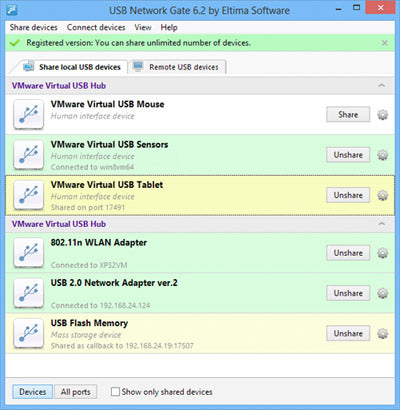
USB Network Gate is software that allows you to remotely connect USB devices to multiple PCs via Ethernet (Internet/LAN/WAN) as if they were plugged into your PC.
You can also share USB devices over Ethernet between multiple PCs around the world (or in an office).
Access any supported USB device, such as printers, scanners, webcams, USB dongles, etc. from your home or office laptop, anywhere!
The trial period is 14 days.
You can also share USB devices over Ethernet between multiple PCs around the world (or in an office).
Access any supported USB device, such as printers, scanners, webcams, USB dongles, etc. from your home or office laptop, anywhere!
The trial period is 14 days.

Regular price
¥34,000
Regular price
Sale price
¥34,000
Unit price
per
Couldn't load pickup availability
ライセンスに関して Eltima Software [About licenses] A license is required for the number of shared ports. For example, with one license, one USB port can be shared. Access is possible from multiple users or devices. The device connected to the shared port can be changed by plug-in. To share two or more ports, you will need as many licenses as you want to share. [About license renewal] This product requires the license to be renewed periodically (within 180 days). A warning will be displayed before the license expires, so please receive and apply the renewed license.
互換OS Windows 10 64bit and Windows 10 32bit
製品情報
製品情報の詳細1を見る
USB over Ethernet
USB Network Gate allows you to connect to USB devices from your Windows, Mac or Linux PC (and vice versa)!
 |
Share USB port over LAN/WAN/VLAN/VPN/Internet | |
Connecting to a USB device over RDP (Remote Desktop Protocol) | |
| Do you need to share a USB device among multiple PCs? USB Network Gate makes it possible! Print, scan, fax, and more from any PC in the office. Passwords let you control who has remote access. |
When using a remote desktop connection, you may find it inconvenient to be unable to access local USB devices. USB Network Gate allows you to work with any local USB device through a remote session. You can also configure remote machines to automatically detect and instantly connect to shared USB devices, just as if they were physically plugged into your PC. |
|||
 |
Connect to USB devices on virtual machines and blade servers |  |
Connect to USB devices over Wi-Fi | |
| Are you looking for a way to connect to USB devices on your virtual machines or blade servers? Simply install USB Network Gate in your guest operating system (virtual machine, blade server) and instantly access your USB peripherals from your remote virtual desktop. Compatible with VMware, VMware ESX, Citrix XenDesktop, and Microsoft Hyper-V. |
No configuration changes are required to your existing network to allow employees to share their new USB devices, which can then be accessed wirelessly from any desktop or laptop in the office. Share a USB-connected printer, scanner or other device on one PC and let everyone work on it as if it were connected to their own PC. |
|||
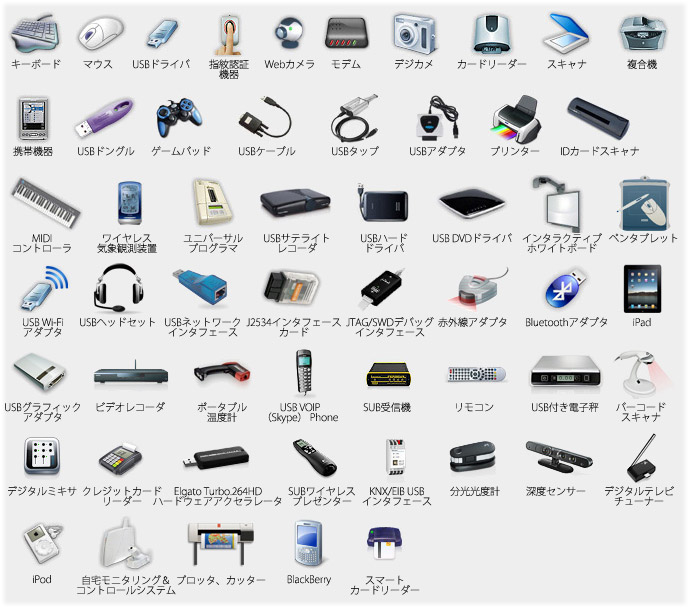
List of supported devices
USB Network Gate allows you to easily connect one or multiple USB devices to your PC remotely over Ethernet.